Personalize Genie
Find your profile, points and settings
Read your dashboard, change appearance and understand what progress means.
Updated 2 November 2026 · 3 min read
Open this in Genie ↗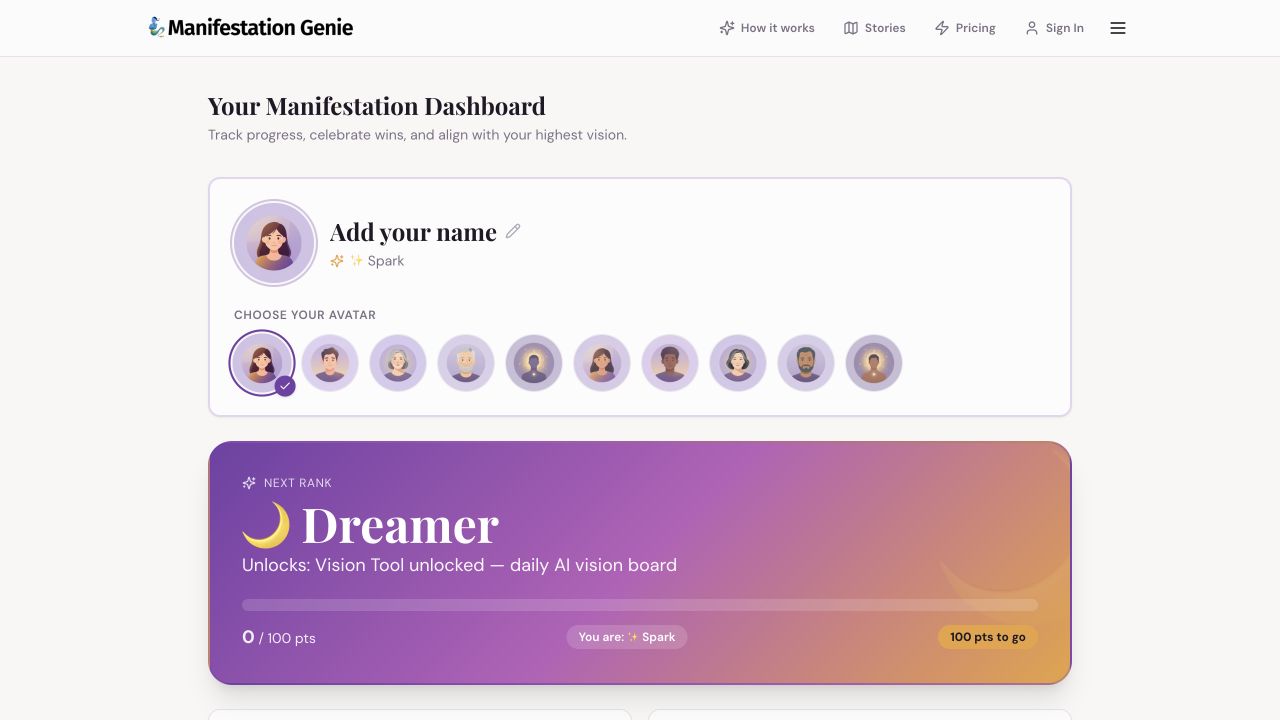
Step by step
- Open My Profile from the app menu or the direct link below. Sign in to your usual account before interpreting access or account details.
- Use the identity area to review your name and avatar. Make changes only if you want to personalize your profile.
- Review points, rank, journal count and plan summary. Use Journal Entries or My 7-Day Plan to continue the corresponding practice.
- For appearance, find the Appearance section and use the light/dark mode switch.
- For payment management, find Subscription & Billing and follow the billing guide linked below.
Points and streaks
They are activity indicators in the app, not a prediction of manifestation results. The live rewards roadmap shows rank thresholds and tool access; use your dashboard's current values.
A number looks wrong
Check the same browser and device where you completed the activity, then confirm the account. Take a screenshot of the mismatch without exposing private entries.
Account connections
Connected Accounts may offer a Google connection. Linking an account is a separate choice; it is not required just to read this help center.
Still need a hand?
Contact support with the page URL, what happened and any error text.
← Back to all tutorials