Plans & daily practice
Use the pre-ritual checklist
Make a little space for a focused session before you begin.
Updated 2 November 2026 · 3 min read
Open this in Genie ↗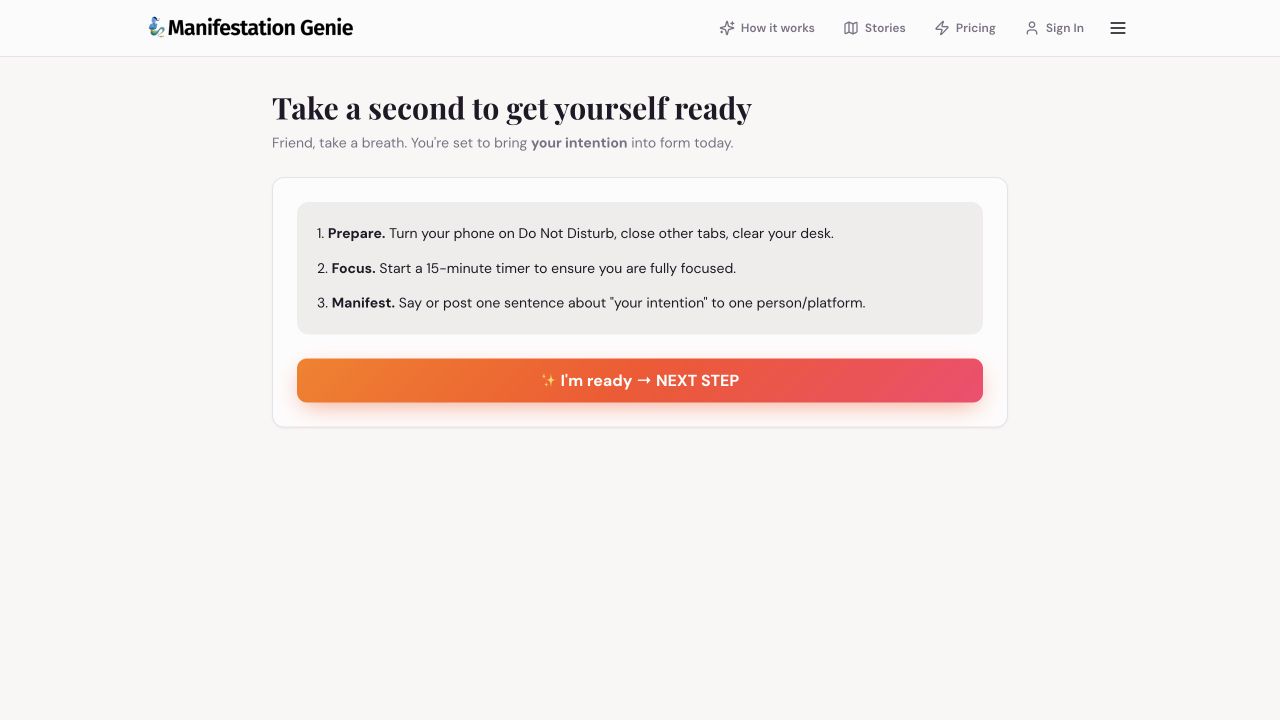
Step by step
- Open the pre-ritual checklist. Read the intention shown at the top; it may use a general intention when you have not set a wish.
- Prepare your space: reduce interruptions, close distracting tabs and settle somewhere comfortable.
- Choose a realistic focus period. The app suggests a 15-minute timer; you can also begin with the shorter daily practice in this library.
- The page suggests saying or posting a sentence about your intention. Choose what you are comfortable sharing, and keep private goals private if you prefer.
- Choose I'm ready → NEXT STEP to continue the app's flow. If you reach an access prompt, sign in to your usual account.
You do not need a perfect setup
The purpose is to reduce friction, not create a rule that stops you from starting. One focused question and a small action can still make a useful session.
The intention looks generic
Set or explain your current wish in Chat, then return in the same browser. Do not assume the checklist reads a goal from every device.
Want a repeatable routine?
Pair the checklist with your five-minute practice or the current day in your 7-day plan. Keep the next action small enough to complete.
Still need a hand?
Contact support with the page URL, what happened and any error text.
← Back to all tutorials